---
title: Moonwalk
date: '2021-01-08T00:00:00+00:00'
url: https://www.abhinav.co/moonwalk
summary: Moonwalk is a fast, minimalistic Jekyll blog theme with clean dark mode and
a perfect Lighthouse score. Built out of a desire for something elegant yet simple.
tags:
- Jekyll
- Moonwalk
- Dark
- Minimal
- Open Source
- Technology
author: Abhinav Saxena
---
# Moonwalk
When I first built this website ([abhinav.co](https://www.abhinav.co)), I used custom CSS and HTML. However, with every new project getting added, I realized I was spending more time in managing the website code than the actual website content. My subconcious mind also delayed regular blogging and demanded that I create a better website to evoke the desire to write. And like a slave without any choice I accepted.
I had some experience with Jekyll and wanted to use it again. I spent numerous hours trying to find the perfect theme which matched elegance as well as simplicity and in the end decided to write my own custom theme. It was a fun project - I enjoy UX and UI design and considered this as a great opportunity to try out my own opinions about good design.
The outcome is Moonwalk - a fast and minimalistic blog with clean dark mode.
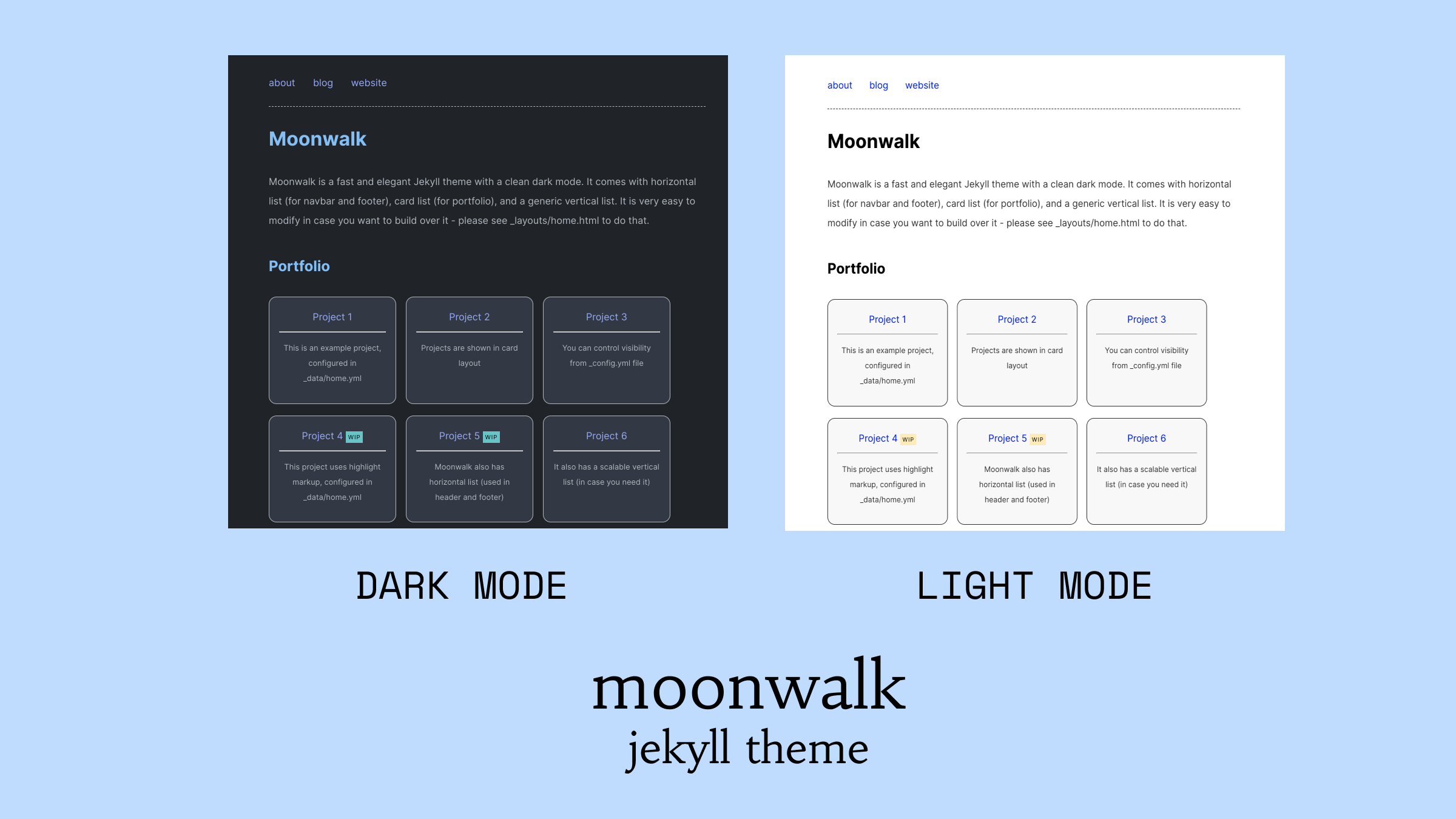 I wanted moonwalk to be very fast and made choices to make it very performant. I took [no style please!](https://github.com/riggraz/no-style-please) as a base, a wonderful theme with almost no CSS and customized it heavily to express my design. I avoided the temptation to add any css or javascript frameworks and explicity made the blog text heavy than image heavy. And it's not a surprise that Moonwalk has a perfect 100/100 Lighthouse score.
If you want to see a demo - this very website is the best example of it.
Do try [moonwalk](https://github.com/abhinavs/moonwalk) for your next project.
I wanted moonwalk to be very fast and made choices to make it very performant. I took [no style please!](https://github.com/riggraz/no-style-please) as a base, a wonderful theme with almost no CSS and customized it heavily to express my design. I avoided the temptation to add any css or javascript frameworks and explicity made the blog text heavy than image heavy. And it's not a surprise that Moonwalk has a perfect 100/100 Lighthouse score.
If you want to see a demo - this very website is the best example of it.
Do try [moonwalk](https://github.com/abhinavs/moonwalk) for your next project.
## Features
* Light & dark mode with theme switcher
* Vertical list, horizontal list, card list
* Landing page with navbar, footer, portfolio
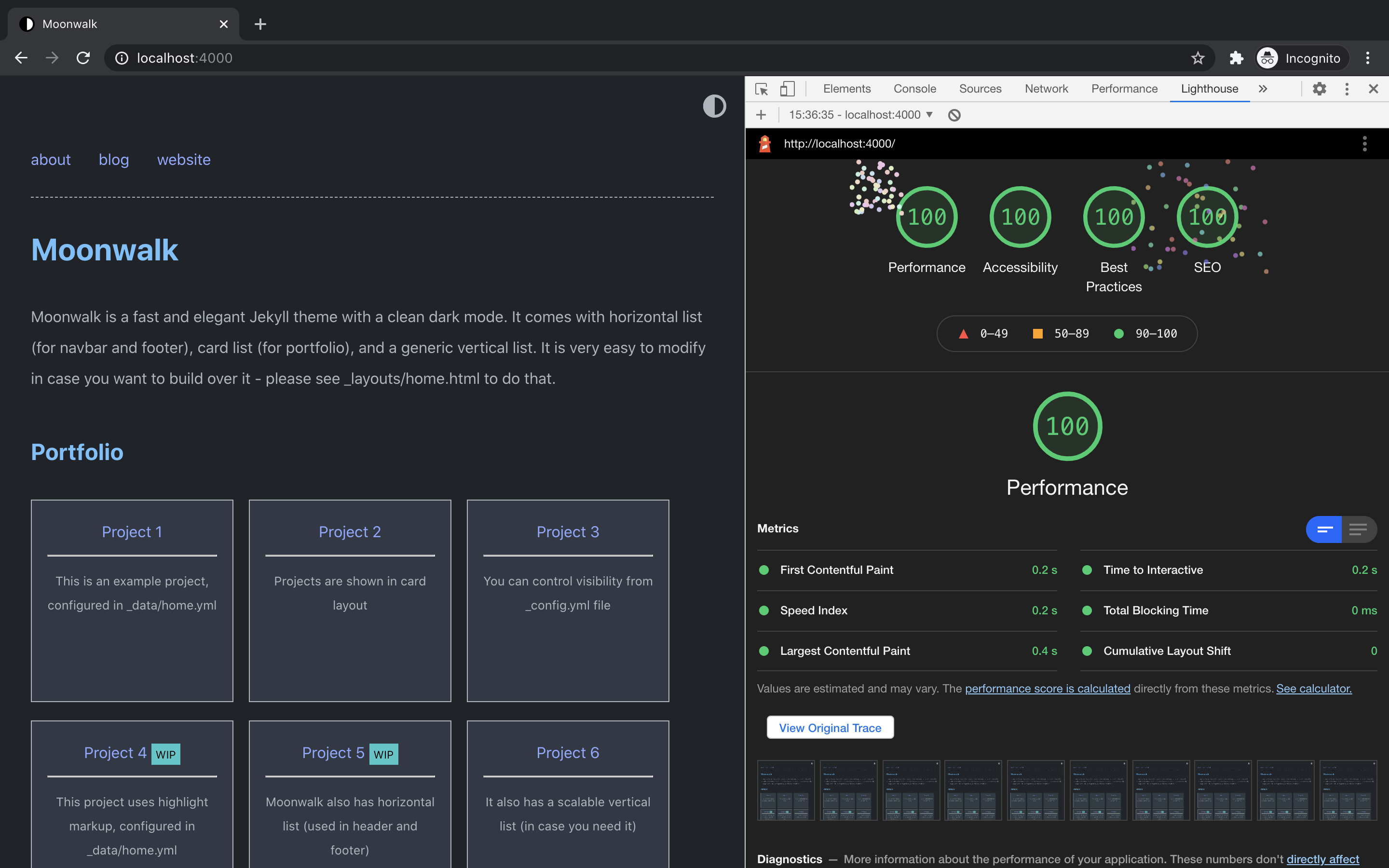
* Fast (very minimal CSS) - 100/100 on performance, accessibility, best practices and SEO, please see [Lighthouse Report](https://raw.githubusercontent.com/abhinavs/moonwalk/master/_screenshots/lighthouse-report.png) for more details
* Responsive and mobile friendly
* SEO optimized (uses [Jekyll SEO Tag](https://github.com/jekyll/jekyll-seo-tag))
* RSS feed (uses [Jekyll Feed](https://github.com/jekyll/jekyll-feed))
* Easy to extend
* Fully compatible with [GitHub Pages](https://pages.github.com/) (see [GitHub Pages installation](#github-pages-installation))
### Lighthouse Score
## Quick Installation
1. Fork this repository.
2. `cd moonwalk`
3. `bin/bootstrap`
## Starting Server
`bin/start` - development server will start at http://127.0.0.1:4000
## Deployment
Moonwalk can be easily deployed on all the cloud providers (AWS etc.), and on static website hosting services like Netlify & Vercel. You can also use this button to do one click deploy
[](https://app.netlify.com/start/deploy?repository=https://github.com/abhinavs/moonwalk)
If you want to use Moonwalk as a gem or use Github Pages, please see [this page](https://github.com/abhinavs/moonwalk/blob/master/github_pages.md)
## Customizing
You can edit `_config.yml` file to customize your blog. You can change things such as the name of the blog, the author, the appearance of the theme (light, dark or auto), how dates are formatted, etc. Customizable fields should be straightforward to understand. Still, `_config.yml` contains some comments to help you understand what each field does.
### Customize the menu
In order to add/edit/delete entries in the home page, you can copy the `home.yml` file inside `_data` folder. Through that file you can define the structure of the menu and add data for navbar, footer, portfolio or simply remove all of that and use simple blog layout. Take a look at the default configuration to get an idea of how it works and read on for a more comprehensive explaination.
The `home.yml` file accepts the following fields:
1. Vertical list
- `entries` define a new unordered list that will contain menu entries
- each entry is marked by a `-` at the beginning of the line
- each entry has the following attributes:
- `title`, which defines the text to render for that menu entry
- `url`, which can either be a URL or `false`. If it is `false`, the entry will be rendered as plain text; otherwise the entry will be rendered as a link pointing to the specified URL. Note that the URL can either be relative or absolute.
- `post_list`, which can be `true` or `false`. If it is true, the entry will have all posts in the site as subentries. This is used to render your post list.
- `entries`, yes, you can have entries inside entries. In this way you can create nested sublists!
2. Card list - cards are used to showcase portfolio projects. Please see `project_entries` in `_data/home.yml` file
- each entry is marked by a `-` at the beginning of the line
- each entry has the following attributes:
- `title` defines the header of the card
- `desc` is the body of the card
- `url` is a relative or absolute link which this card can point to.
- `highlight` in case you want to highlight something, keep the text short though
3. Horizontal list - moonwalk uses horizontal lists to create navbar and footer. Please see `navbar_entries` and `footer_entries` in `data/home.yml` file
- each entry is marked by a `-` at the beginning of the line
- each entry has the following attributes:
- `title` defines the header of the card
- `url` is a relative or absolute link which this card can point to.
### Pro tips
1. Moonwalk has 3 in-built layouts:
- post - for content
- blog - for listing blog posts
- home - for landing page
you can change your `index.md` file to use either home or blog layout.
2. It is extremely easy to tweak the color scheme.
For light mode, customize these css variables
```css
html {
--bg: #fff;
--bg-secondary: #f8f9fa;
--headings: #000;
--text: #333;
--links: blue;
--highlight: #ffecb2; // light yellow
}
```
For dark mode customize these css variables
```css
@mixin dark-appearance {
html, body {
--bg: #1f242A;
--bg-secondary: #323945;
--headings: #3D9970;
--text: #adb5bd;
--links: #91a7ff;
--highlight: #ffd43b;
};
}
```
## Contributing
Bug reports and pull requests are welcome on [GitHub](https://github.com/abhinavs/moonwalk).
## Development
To set up your environment to develop this theme, run `bundle install`.
Your theme is setup just like a normal Jekyll site! To test your theme, run `bundle exec jekyll serve` and open your browser at `http://localhost:4000`. This starts a Jekyll server using your theme. Add pages, documents, data, etc. like normal to test your theme's contents. As you make modifications to your theme and to your content, your site will regenerate and you should see the changes in the browser after a refresh, just like normal.
When your theme is released, only the files in `_layouts`, `_includes`, `_sass` and `assets` tracked with Git will be bundled.
To add a custom directory to your theme-gem, please edit the regexp in `moonwalk.gemspec` accordingly.
## Acknowledgement
This theme's original base is [no style please!](https://github.com/riggraz/no-style-please) theme created by [Riccardo Graziosi](https://riggraz.dev/) - many thanks to him for creating a wonderful theme with nearly no css.
## License
The theme is available as open source under the terms of the [MIT License](https://opensource.org/licenses/MIT).